
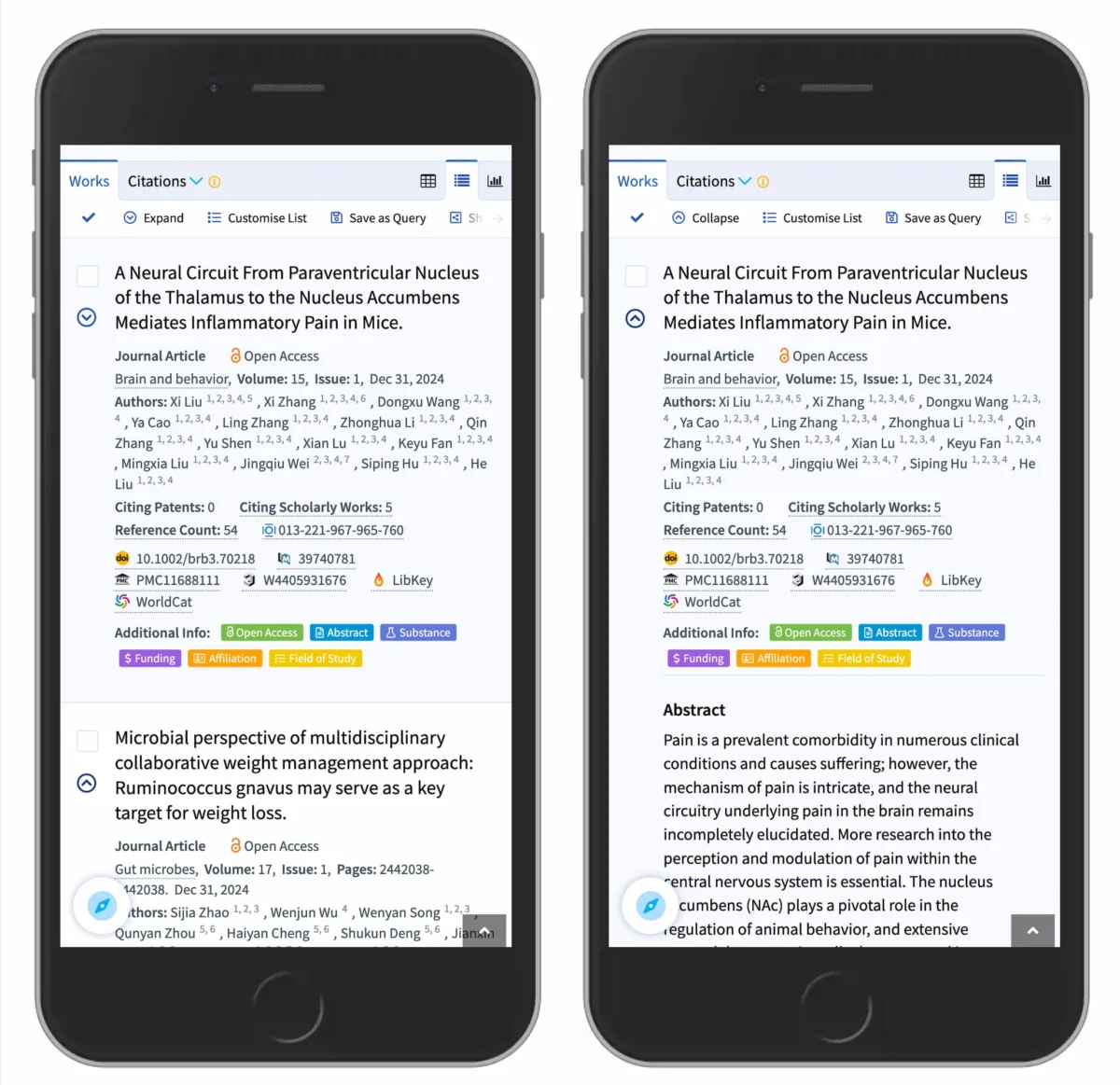
The digital design landscape is currently undergoing a rigorous re-evaluation of its most fundamental components, with recent research from the Nielsen Norman Group (NN/g) and Smashing Magazine highlighting a critical need for standardization in accordion navigation. As mobile browsing continues to dominate global internet traffic, the "accordion"—a design pattern that allows users to expand and collapse sections of content—has become a cornerstone of interface architecture. However, new usability data suggests that the icons used to signal these interactions, ranging from plus signs and arrows to chevrons and carets, are not created equal. The findings indicate that the caret icon is the most reliable signifier for expansion, while "split menus" and the absence of icons are leading to significant user frustration and navigational errors across the web.
The Core Research: Identifying the Predictability Gap
At the heart of the current UX debate is the "predictability gap"—the distance between what a user expects to happen when they click a menu item and what the interface actually delivers. According to a comprehensive study conducted by NN/g, the visual cues accompanying menu labels dictate user behavior far more than previously understood. When a menu item is presented without any icon, users overwhelmingly expect that tapping the text will initiate a page navigation, taking them to a new URL entirely. This expectation is rooted in decades of web conventions where plain text or underlined text serves as a hyperlink.

The study utilized a series of A/B tests and heatmaps to track how users interacted with various icon types. The results revealed that while arrows and plus signs are frequently used, they carry a high degree of "semantic overload." A plus sign (+), for instance, is used across different platforms to mean "add to cart," "zoom in," "save for later," or "create new." When used in a navigation menu, this ambiguity can cause a momentary cognitive stall as the user attempts to decipher whether the icon will reveal more options or perform a functional action.
In contrast, the caret icon (a simple "v" shape or its inverted form) emerged as the safest and most intuitive choice. Unlike arrows, which often imply a directional movement to a new page or a "next" step in a process, the caret is almost exclusively associated with the act of revealing hidden content in place. This distinction is vital for maintaining "flow" in user experience, particularly on mobile devices where screen real estate is limited and every accidental page load represents a significant temporal and data cost to the user.
A Chronology of Navigation Design: From Blue Links to Accordions
To understand the current state of accordion design, one must look at the chronological evolution of web navigation. In the early days of the World Wide Web (1991–1999), navigation was almost exclusively text-based and linear. The "blue underlined link" was the universal signifier for navigation. There was no need for accordions because page layouts were simple and content was relatively sparse.

The introduction of CSS and JavaScript in the early 2000s allowed for the first "drop-down" menus. These were primarily desktop-oriented, relying on "hover" states to reveal sub-menus. However, the mobile revolution, sparked by the release of the iPhone in 2007, rendered hover states obsolete. Designers were forced to find a way to compress deep site hierarchies into narrow screens. This led to the rise of the "Hamburger Menu" (the three-line stack) and, subsequently, the accordion.
By 2015, the "Flat Design" movement had stripped away many of the visual affordances that told users what was clickable. Shadows and gradients were replaced by flat icons. This era saw a proliferation of custom icons, which, while aesthetically pleasing, often lacked clarity. The current research represents a "correction" phase in this timeline, where usability experts are calling for a return to functional clarity over stylistic experimentation. The move toward the caret icon is a move toward a more "honest" interface—one that communicates its function without ambiguity.
Supporting Data: Tapping Behavior and Hit Areas
The NN/g data provides a granular look at how users physically interact with these components. One of the most significant findings is the "50/50 split" in tapping behavior. For most icon types, including plus signs and arrows, users are equally likely to tap on the text label as they are on the icon itself. This suggests that the user views the entire row as a single interactive unit.

However, the caret icon showed a unique deviation in user behavior. When a caret is present, users tend to tap the icon itself more frequently than the text. This indicates that the caret is a powerful "affordance"—a visual clue that specifically invites a certain type of physical interaction (the expansion of the menu).
Furthermore, the data highlighted the "Overcomplication Trap." Many designers attempt to use a right-pointing arrow (→) to indicate a link to a category page and a downward-pointing caret (⌄) to indicate an accordion. In testing, this distinction was often lost on users. The cognitive load required to distinguish between two different types of small, monochromatic icons on a high-density screen is often too high. The most successful designs were those that simplified the interaction to a single choice: if it is a link, it is underlined; if it is an accordion, it has a caret.
The Harm of Split Menus: A Technical Analysis
Perhaps the most critical warning emerging from recent UX audits is the danger of the "split menu" or "split button" pattern. In this configuration, the text label of a menu item links directly to a parent category page, while a small icon on the right side of the same bar opens an accordion sub-menu.

UX researchers have labeled this pattern as "harmful" due to its high error rate. On mobile devices, the precision required to tap a 20-pixel icon versus a 100-pixel text label is often beyond the physical capabilities of a user’s thumb, especially when they are in motion. When a user intends to expand a menu to see sub-categories but accidentally triggers a full page load by tapping the text, the resulting "navigation whiplash" causes frustration and often leads to site abandonment.
Industry leaders, including the design team at DHL, have moved away from this pattern. The preferred alternative is to make the entire bar trigger the accordion. If a "Category Overview" page exists, it is placed as the first link within the expanded accordion. This ensures that the user’s primary action (exploring options) is satisfied first, while still providing a path to the high-level category page. This approach aligns with the "Principle of Least Astonishment," a classic design rule stating that a component should behave in a way that is most consistent with the user’s expectations.
Official Responses and Accessibility Standards
The push for standardized accordion icons is also gaining traction within the accessibility community. The Web Content Accessibility Guidelines (WCAG) emphasize that interactive elements must be "predictable." For users relying on screen readers or assistive touch technologies, the clarity of an icon’s purpose is not just a matter of convenience; it is a matter of access.

While the W3C (World Wide Web Consortium) does not mandate a specific icon for accordions, their ARIA (Accessible Rich Internet Applications) patterns suggest that any expanding element must clearly communicate its state (expanded vs. collapsed). Technical experts note that the caret is the most effective icon for this because it can be easily rotated 180 degrees using CSS, providing a clear visual and programmatic change in state.
Designers from major tech firms have begun to weigh in on these findings. The consensus among senior UX architects is that "consistency is the highest form of usability." By adopting the caret as the universal symbol for expansion, the industry can create a "schema"—a mental shortcut—that users can carry with them from one website to another, reducing the learning curve for every new interface they encounter.
Broader Impact and Future Implications
The implications of this research extend beyond simple menu design; they touch upon the very philosophy of modern web development. As we move into an era of voice interfaces and AI-driven browsing, the "visual language" of the web must be as robust as possible to ensure seamless transitions between different modes of interaction.

The shift toward the caret icon and the rejection of split menus represent a broader trend toward "Minimalist Functionality." This trend acknowledges that while the web can be a place for artistic expression, its primary function is the efficient transfer of information. By removing the "visual noise" of unnecessary arrows and confusing button structures, designers are creating a more inclusive web.
In the coming years, it is expected that more automated UI auditing tools will begin to flag non-standard accordion behaviors as usability risks. For businesses, the takeaway is clear: the cost of a "creative" navigation icon is often paid in lost conversions and user frustration. The safest, most effective path forward is to follow the data. If a link is intended to take a user to a new page, it should be underlined. If it is intended to reveal more content, it should feature a caret. As Smashing Magazine and NN/g have demonstrated, when it comes to the complex architecture of the modern web, simpler is not just better—it is essential.
The editor’s note from Smashing Magazine underscores this sentiment, celebrating the collaborative nature of the web design community in sharing these findings. The goal is to make the web more accessible and usable for everyone, a mission that requires constant testing, learning, and the willingness to abandon "clever" designs in favor of those that actually work. Through online workshops and continued research, the industry is moving toward a future where every click, tap, and swipe results in exactly what the user expects.

