
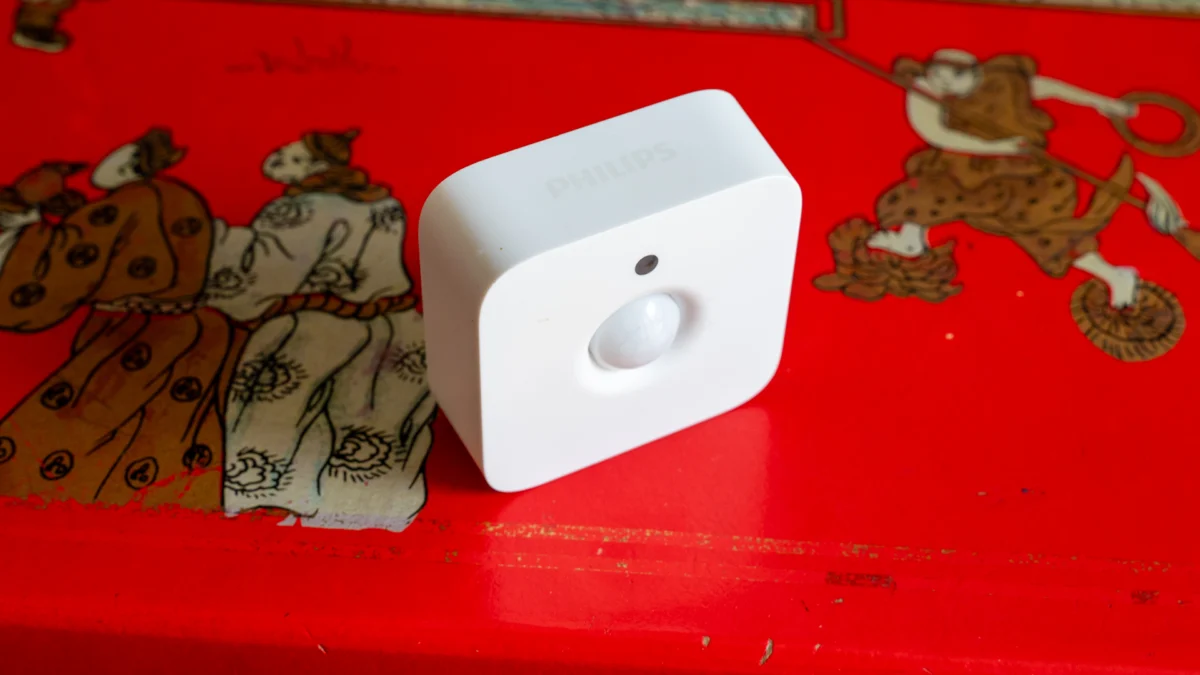
The Philips Hue Motion Sensor, a long-standing component of the Hue ecosystem, continues to offer robust automation capabilities for smart lighting, albeit with a premium price point for its core functionality. While its advanced customization within the Hue app remains a significant draw for existing users, its integration via Matter opens doors for broader smart home applications. However, for users prioritizing highly nuanced presence detection, more sophisticated sensors may present a compelling alternative. This review delves into the sensor’s design, features, performance, and its place in the evolving smart home landscape.
Design and Components: Compact Form, Essential Infrastructure
Priced at approximately $48.99 (£40), the Philips Hue Motion Sensor positions itself at the higher end for a device primarily performing motion detection. This pricing reflects not just the hardware but, crucially, its seamless integration with the Philips Hue lighting system, which necessitates the use of a Philips Hue Bridge (either the Pro or an older model). Without this central hub, the sensor’s advanced functionalities are inaccessible.
The sensor itself is remarkably diminutive, measuring 55 x 30 x 55mm and weighing a mere 6.5 grams. It arrives with a magnetic mounting bracket that requires secure installation to a ceiling or wall. Once mounted, the sensor attaches magnetically, allowing for precise directional aiming to cover the desired detection area. The mounting solution, while effective, lacks any vertical tilt adjustment, meaning the sensor is fixed to point directly forward. Its stated detection range extends up to 5 meters, with a 100-degree field of view, capabilities that have proven sufficient for various room layouts during testing.

Powering the device are two AAA batteries, which are included in the package. Philips estimates a battery life of two to three years, a claim that aligns with long-term user experience, with many reporting not needing to replace batteries for extended periods. It’s important to note that this specific model is designed for indoor use. For outdoor applications requiring weatherproofing, Philips offers a separate "Philips Hue Outdoor Smart Motion Sensor."
Features: Deep Integration and Intelligent Automation
The Philips Hue Motion Sensor’s primary function is to automate lighting based on detected motion, a capability that belies a surprisingly sophisticated level of control within the Hue application. Unlike rudimentary motion sensors that offer a single, all-day activation, the Hue sensor excels in its ability to implement multi-stage automation. Users can define distinct time slots throughout the day, each with tailored actions. For instance, daytime operation might involve lights turning on to their last saved state, while evening settings could trigger warmer, more ambient lighting. At night, a dimmer, gentler nightlight setting becomes available.
Crucially, each time slot also allows for the configuration of actions following a period of inactivity, which can be set in increments of minutes. The default action is to turn off the lights, but users can opt to revert lights to their previous state. This intelligent logic prevents the motion sensor from inadvertently overriding manual lighting adjustments. If the lights are set to turn off after inactivity, the motion sensor will only activate them if they are currently off, thus preserving user-defined scenes. If the "return to previous state" option is selected, the sensor will adjust the lights to the configured mode upon motion detection, and then automatically revert to the prior setting after the defined timeout period.
A practical application of this feature can be observed in a hallway. Lights could be set to a dim nightlight mode, but upon detecting motion, they could brighten for a few minutes before returning to the subtle nightlight setting.

The sensor also incorporates a built-in light sensor, enabling users to fine-tune when motion detection actually triggers actions. This is particularly useful for preventing lights from activating unnecessarily during daylight hours. A slider within the app allows users to set a threshold for ambient light levels. The application provides visual feedback, indicating whether the sensor would currently control lights based on the ambient light reading and the slider’s position. To accurately configure the sensor to activate only in darkness, it’s recommended to adjust the slider when the desired level of dimness is present.
Motion sensitivity is also adjustable, addressing scenarios where the sensor might be overly sensitive or not responsive enough. Furthermore, the sensor doesn’t solely need to be used for turning lights on. Users can configure it to "Do nothing" upon motion detection but still utilize its inactivity trigger to turn lights off. This is a valuable feature for spaces like offices, where manual light control is preferred, but automatic shut-off after a period of inactivity (e.g., 10 minutes) is desirable.
A significant advantage of the Hue system, and by extension the motion sensor, is its reliance on local network communication via the Hue Bridge. This means that the automation features remain operational even in the absence of an internet connection, a testament to the robustness of the Hue ecosystem.
Beyond its native Hue integration, the motion sensor’s utility extends to other smart home platforms through Matter. When a Hue Bridge is connected to a Matter-compatible ecosystem, such as Apple Home, the motion sensor appears as two distinct devices: a motion sensor and a light sensor, reporting ambient light levels in lux. This dual functionality unlocks further automation possibilities, allowing for the control of non-Hue devices. For example, a fan could be programmed to switch off after a 10-minute period of no motion.
Performance: Reliable Detection with Nuances

Having been part of the Hue ecosystem for several years, the Philips Hue Motion Sensor has undergone software refinements that have significantly improved its reliability. The current iteration effectively manages light automation without the unintended overrides that were an issue in earlier versions. Detection accuracy is consistently high; when mounted on a ceiling, it reliably captures motion across an entire office space without false triggers.
The primary limitation of the sensor, as a basic motion detector, lies in its requirement for discernible movement to maintain activation. Subtle movements, such as typing at a desk, may not be consistently detected. This necessitates more pronounced movements, like turning in a chair or reaching for a drink, to prevent the lights from switching off. While this is generally manageable, it highlights a key difference compared to more advanced presence sensors.
Consequently, for users relying on this sensor to keep lights on, a longer inactivity timer (e.g., 10 minutes) is often advisable to accommodate periods of less vigorous activity. In contrast, presence sensors, like the Aqara Presence Multi-Sensor FP300, are engineered to detect finer movements with greater accuracy, allowing for shorter inactivity timers and more responsive automation.
The integration of the motion sensor into third-party systems via Matter has proven to be a reliable enhancement. Its performance in these external ecosystems is commendable, particularly when leveraging a Matter-enabled Hue Bridge. The inclusion of the light sensor is a valuable addition for triggering routines, although, as noted, careful consideration of the no-motion timer is necessary to avoid unintended actions during prolonged periods of stillness.
Broader Impact and Implications: A Foundation for Smart Lighting

The Philips Hue Motion Sensor, despite its price and limitations in nuanced presence detection, remains a cornerstone for automated smart lighting within the Hue ecosystem. Its sophisticated scheduling and scene-setting capabilities, coupled with its offline operational resilience, solidify its position as a highly functional device. The addition of Matter compatibility significantly broadens its appeal, allowing users to leverage its basic motion and light sensing for automation across a wider array of smart home devices, even if they don’t exclusively use Hue lighting.
The ongoing development of Matter aims to create a more interoperable smart home environment. Devices like the Hue Motion Sensor, when integrated via Matter, contribute to this goal by offering their core functionalities to a broader audience. This is particularly beneficial for users who may have existing Hue infrastructure but wish to expand their automation to other brands and device types.
The sensor’s design philosophy—prioritizing ease of use and deep integration within its native ecosystem—is a key differentiator. While newer, more feature-rich presence sensors are emerging, the Hue Motion Sensor continues to provide a reliable and accessible entry point into sophisticated lighting automation for millions of Hue users worldwide. Its longevity in the market speaks to its enduring utility and the trust consumers place in the Philips Hue brand for smart home solutions.
Comparison with Presence Sensors: A Matter of Detail
The distinction between a motion sensor and a presence sensor is crucial when evaluating automation needs. Basic motion sensors, like the Philips Hue Motion Sensor, are designed to detect significant movement. They are excellent for triggering actions when someone enters a room or walks down a hallway. However, they often struggle to register subtle movements, such as a person sitting still and reading or working at a desk. This can lead to lights turning off unexpectedly if no significant motion is detected within the set inactivity period.

Presence sensors, on the other hand, employ more advanced technology, often including radar or ultrasonic detection, to sense even the slightest human presence. This allows them to differentiate between an empty room and a room occupied by someone who is not actively moving. Consequently, presence sensors offer greater flexibility in setting shorter inactivity timers, as they are less likely to mistakenly turn off lights when someone is present but still. This makes them ideal for scenarios where continuous illumination is desired in occupied spaces, such as home offices, living rooms, or bedrooms.
While the Philips Hue Motion Sensor’s integration with other systems via Matter is a significant advantage, it’s important to recognize that the "motion sensing" aspect being exposed to these systems is still fundamentally that of a motion sensor. The nuanced detection capabilities of a dedicated presence sensor cannot be replicated through this integration. Therefore, for users who require highly precise and continuous occupancy detection, investing in a dedicated presence sensor, perhaps one that also integrates with Matter or the user’s preferred ecosystem, might be a more suitable long-term solution.
Conclusion: A Reliable, Though Pricey, Hue Staple
The Philips Hue Motion Sensor remains a highly capable device for automating lighting within the Philips Hue ecosystem. Its intelligent scheduling, offline functionality, and the convenience of its integration make it a valuable addition for existing Hue users. The added layer of Matter compatibility further enhances its utility, allowing for broader smart home automation. However, prospective buyers should weigh its cost against the capabilities of more advanced presence sensors, particularly if nuanced, continuous occupancy detection is a primary requirement. For straightforward motion-triggered lighting and basic automation across different smart home platforms, the Hue Motion Sensor continues to be a dependable, albeit premium, choice. Its enduring presence in the market underscores its effectiveness as a foundational element for smart home convenience.

