
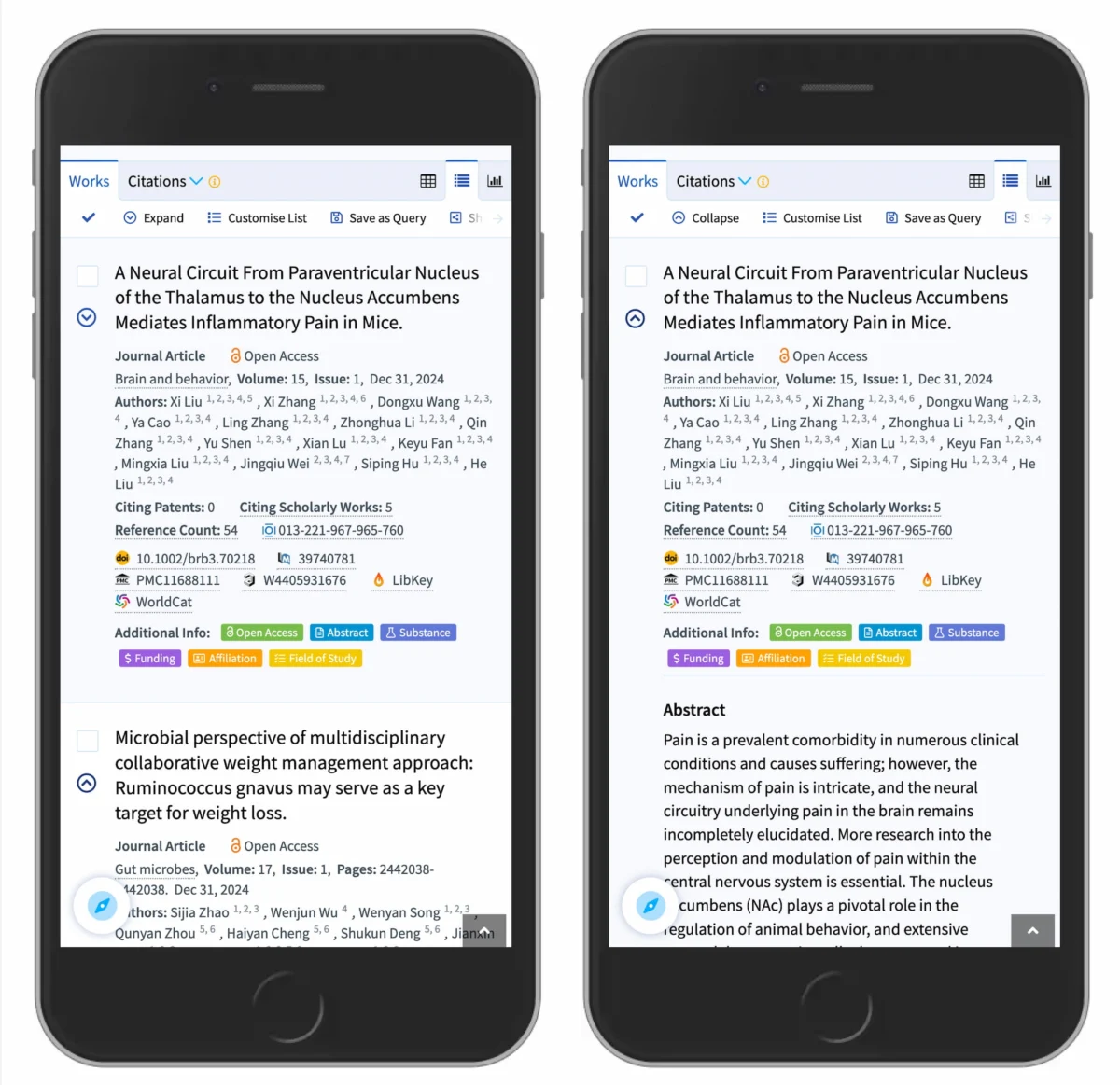
The digital design industry is currently undergoing a rigorous re-evaluation of one of its most ubiquitous components: the accordion menu. Recent usability studies and comprehensive research from leading user experience (UX) organizations, such as the Nielsen Norman Group (NN/g), have highlighted significant discrepancies between designer intent and user expectation regarding interactive iconography. While accordions are essential tools for managing information density on mobile devices and complex web applications, the choice of icon—ranging from carets and chevrons to plus signs and arrows—drastically alters how users navigate a site. The findings suggest that the most reliable method for signaling expansion and collapsing is the caret, while the once-popular "split menu" pattern is increasingly identified as a primary source of user frustration and navigational errors.
The Core Findings of Accordion Iconography
At the heart of the current debate is the visual affordance provided by small graphical indicators. Research indicates that when a menu item lacks an icon entirely, users overwhelmingly expect that tapping or clicking the label will initiate a direct page navigation. This "no-icon" state is the strongest signal for a traditional hyperlink. Conversely, the introduction of custom icons often muddies the waters. Users frequently struggle with non-standard graphics, as these fail to clearly communicate whether an action will trigger an in-page expansion or a full-page transition.

A critical discovery in recent quantitative studies involves the "hit area" behavior of users. Data shows that for most icon types, users are nearly equally likely to tap on the text label as they are on the icon itself. However, the caret icon (a simple V-shape) stands out as an exception; it tends to draw more specific interaction toward the icon, though the overall expectation remains that the entire row should be interactive. This parity in interaction points suggests that the icon choice affects the perception of the entire hit area, not just the visual signal of the icon itself.
A Chronology of Navigational Design
To understand the current state of accordion design, it is necessary to trace the evolution of the pattern over the last two decades. In the early 2000s, web navigation was primarily desktop-driven, utilizing hover-based dropdown menus. As mobile browsing began to dominate the market around 2010, designers were forced to find ways to stack complex hierarchies into narrow viewports. The accordion emerged as the gold standard for mobile "mega-menus," allowing users to see high-level categories and "drill down" into sub-categories without losing their place on the page.
By 2015, the "split button" or "split menu" pattern became a common compromise. In this layout, the text label of a category (e.g., "Services") would act as a link to a main category page, while a small icon to the right (often a plus sign or arrow) would expand a sub-menu. While this seemed efficient to designers, usability testing throughout 2020 and 2023 has revealed it to be a "harmful" pattern. Users often accidentally trigger the wrong action—opening a page when they wanted a menu, or vice versa—leading to increased bounce rates and user dissatisfaction.

Analyzing the Data: Carets, Arrows, and Plus Signs
Supporting data from recent NN/g studies provides a granular look at how different symbols are perceived by the general public:
- The Caret (˅): Recognized as the safest and most intuitive choice. When pointing down, it signals that content is hidden below. When it rotates to point up (˄), it clearly indicates that the content can be hidden again. It is rarely confused with other system actions.
- The Plus Sign (+): While widely understood to mean "expand" or "add," the plus sign is "overloaded." In various contexts, it can mean "add to cart," "zoom in," "create new item," or "save to favorites." In multi-level navigations, a sea of plus signs can create visual noise that makes it difficult for users to distinguish between navigation and functional actions.
- The Arrow (→): Right-facing arrows are traditionally associated with moving forward or submitting a form. In the context of an accordion, a right-facing arrow does not necessarily imply that a menu will open downward; many users expect it to function as a "Next" button or a direct link to a new URL.
- The Triangle (▼): Similar to the caret, the solid triangle is effective but often carries a "heavier" visual weight that can interfere with the readability of the text label.
The research concludes that the caret is the most "specialized" icon for this task, carrying the least amount of external "baggage" from other UI patterns.
The Danger of Split Menus and the "Overview" Solution
Industry experts and UI architects are now leaning toward a "single-action" philosophy for navigation. The split-menu pattern, where the text and icon perform different tasks, violates the principle of least astonishment. When a user sees a single row of information, they perceive it as one interactive element. Forcing them to aim for a 20-pixel icon to see sub-options while the text label takes them away from the current page is a high-cognitive-load task.

The alternative, which has been successfully implemented by global logistics leaders like DHL and scholarly databases like Lens.org, is the "Overview" or "All Products" link strategy. In this model:
- The entire top-level category (label and icon) acts as a trigger to open the accordion.
- Once the accordion is open, the first item in the sub-menu is a direct link to the category’s main page (e.g., "Overview," "View All," or a repetition of the category name).
This approach ensures that the primary interaction is always successful and predictable, regardless of where the user taps on the mobile screen.
Accessibility and Technical Implications
Beyond visual design, the choice of accordion iconography has significant implications for web accessibility (A11y). Under the Web Content Accessibility Guidelines (WCAG), accordions must be correctly identified in the Document Object Model (DOM) using ARIA (Accessible Rich Internet Applications) attributes.

A standard accordion header should typically be a <button> element with aria-expanded="true" or "false". When designers use split menus, they often create a complex nesting of an <a> tag (for the link) and a <button> tag (for the icon) within the same list item. This can be a nightmare for screen reader users, who may hear two different interactive elements for what looks like one menu item. By moving to a single-action accordion with an internal "Overview" link, developers can create a cleaner, more accessible code structure that benefits users with visual or motor impairments.
Industry Reactions and Expert Consensus
The shift toward simpler, more predictable accordion patterns has been met with approval from the broader design community. Vitaly Friedman, a prominent figure in web design and co-founder of Smashing Magazine, has frequently advocated for the "simpler is better" approach. The consensus among lead designers at major tech firms is that the "excitement" of a unique icon is never worth the cost of user confusion.
"If it’s a link, underline it. If it opens an accordion, use a caret. It’s that simple," states the prevailing editorial sentiment at Smashing Magazine. This "back-to-basics" movement reflects a broader trend in the industry to prioritize functional clarity over aesthetic novelty. The use of underlining for links remains one of the most resilient and effective "unexciting" design patterns in existence, providing a clear visual distinction that requires no learning curve from the user.

Broader Impact on Conversion and User Retention
The implications of these design choices extend into the realm of business metrics. For e-commerce platforms, a confusing navigation menu is a direct contributor to "cart abandonment" and lost leads. If a user tries to expand a "Women’s Clothing" category to find "Shoes" but is instead whisked away to a generic landing page because they tapped the text instead of a tiny plus icon, the resulting frustration often leads them to leave the site entirely.
By implementing research-backed iconography—specifically the caret—and avoiding split menus, companies can see measurable improvements in "Time on Task" and "Success Rate" metrics. A predictable interface reduces the cognitive load on the user, allowing them to focus on the content or product rather than the mechanics of the website itself.
Future Outlook: The Persistence of Standards
As the web continues to evolve toward more immersive experiences, including voice-activated navigation and augmented reality interfaces, the fundamental principles of visual signifiers remain constant. The accordion icon study serves as a reminder that even the smallest design elements have a profound impact on the user’s mental model.

The transition toward the caret as the universal symbol for expansion, and the rejection of the split-button model, represents a maturing of the web as a medium. Just as the red octagonal sign has become the global standard for "Stop," the digital world is slowly but surely settling on a visual language that transcends individual brand aesthetics in favor of global usability. For designers and developers, the path forward is clear: prioritize the caret, ensure the entire menu item is a single interactive target, and use clear text-based links for page navigation. In the world of UX, the most innovative solution is often the one that the user doesn’t have to think about at all.

